> ## Documentation Index
> Fetch the complete documentation index at: https://infisical-daniel-remove-api-key-auth-docs.mintlify.site/llms.txt
> Use this file to discover all available pages before exploring further.
# General LDAP
> Learn how to log in to Infisical with LDAP.
LDAP is a paid feature.
If you're using Infisical Cloud, then it is available under the **Enterprise Tier**. If you're self-hosting Infisical,
then you should contact [sales@infisical.com](mailto:sales@infisical.com) to purchase an enterprise license to use it.
You can configure your organization in Infisical to have members authenticate with the platform via [LDAP](https://en.wikipedia.org/wiki/Lightweight_Directory_Access_Protocol)
In Infisical, head to your Organization Settings > Authentication > LDAP Configuration and select **Set up LDAP**.
Next, input your LDAP server settings.
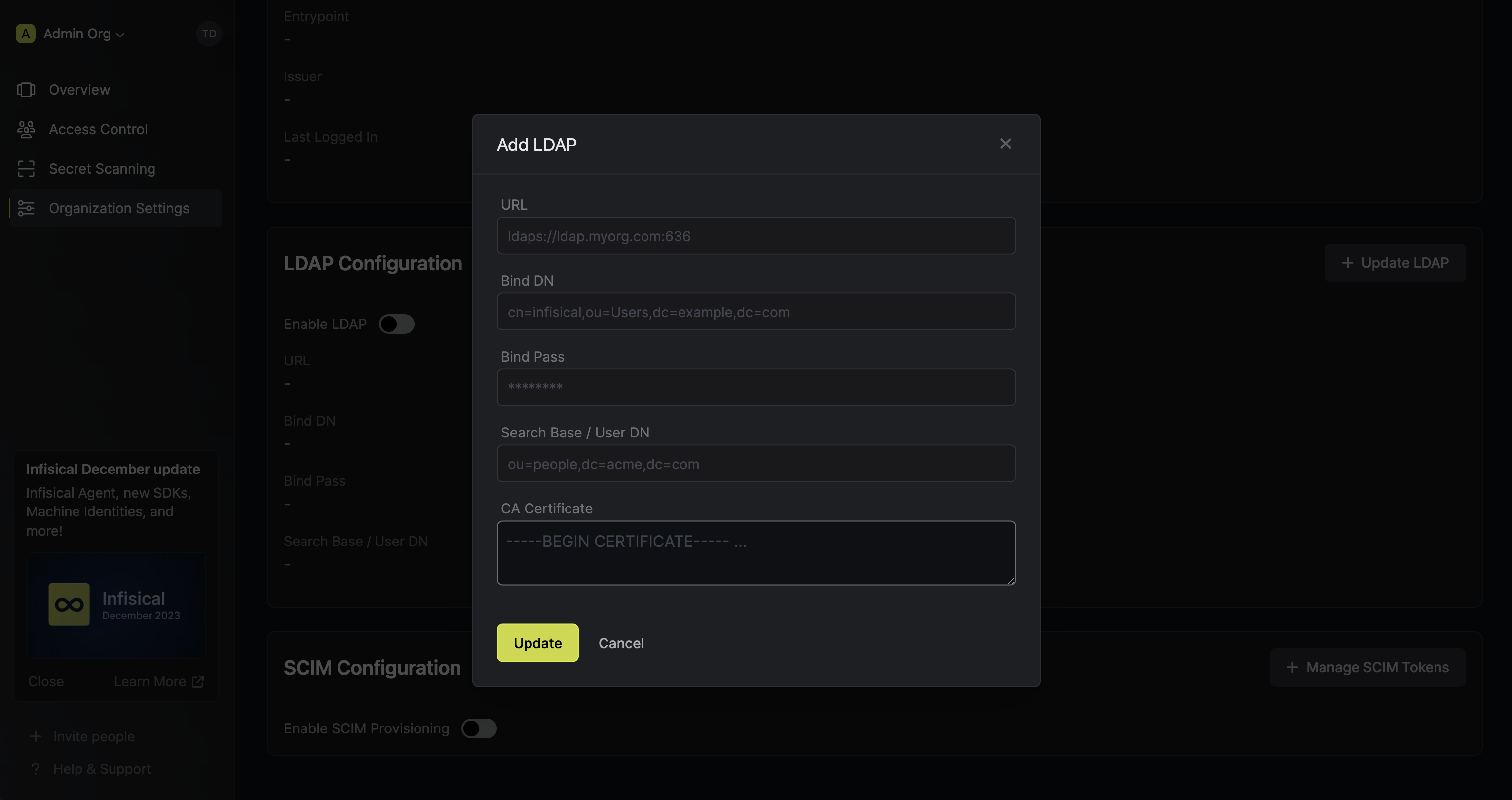
Here's some guidance for each field:
* URL: The LDAP server to connect to such as `ldap://ldap.your-org.com`, `ldaps://ldap.myorg.com:636` (for connection over SSL/TLS), etc.
* Bind DN: The distinguished name of object to bind when performing the user search such as `cn=infisical,ou=Users,dc=acme,dc=com`.
* Bind Pass: The password to use along with `Bind DN` when performing the user search.
* Search Base / User DN: Base DN under which to perform user search such as `ou=Users,dc=example,dc=com`
* CA Certificate: The CA certificate to use when verifying the LDAP server certificate.
Enabling LDAP allows members in your organization to log into Infisical via LDAP.